Your shop, on their home screen.
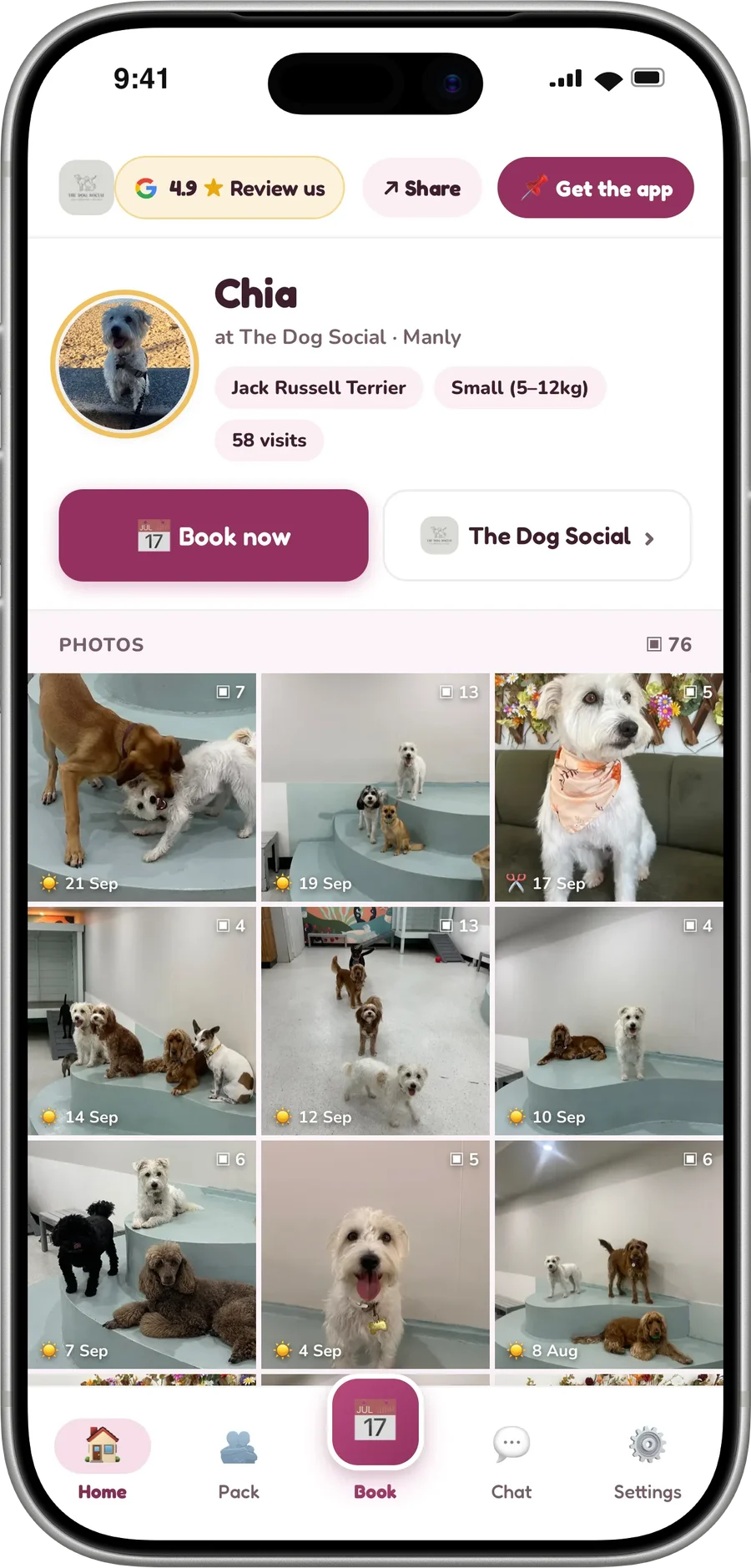
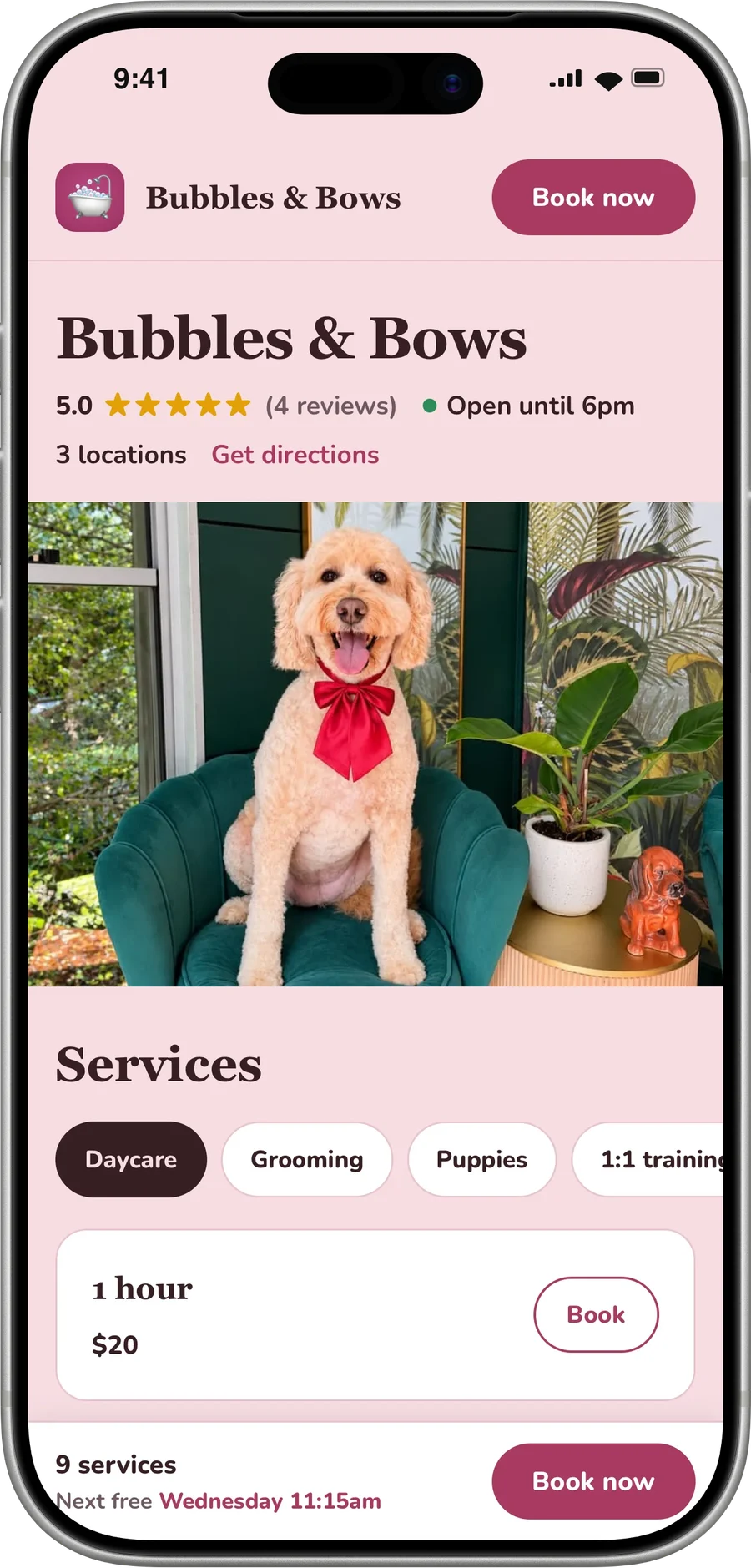
Every dog you send report cards to gets a page of their own. Their whole story is on it, and a Book button that already knows which dog. It saves to the home screen as your icon. No app store, no login, nothing to download.
What the owner gets.
One link per dog, sent with every card. They open it, and it is theirs from then on.
Nothing to download
It is a link. It opens in their browser and saves to the home screen as your icon, on any phone. No app store, no password, no account to make.
Every visit and every photo
Every report card you have ever sent that dog lives here, newest first, with all the photos from every one of them.
Swipe their whole story
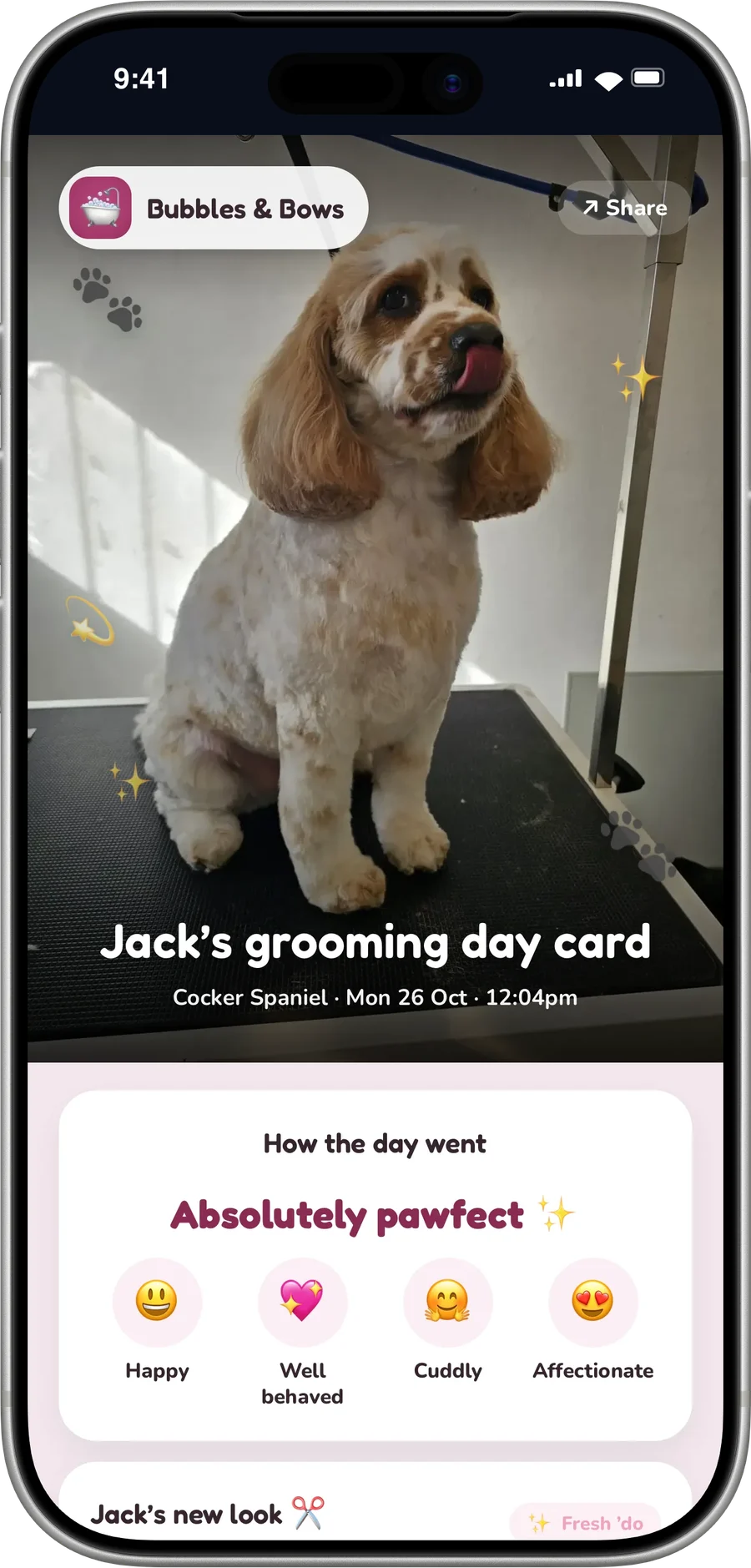
Tap a photo and they swipe through their dog's history like a photo reel. Each one names the visit it came from, with the full report card one tap away.
Book, already set to their dog
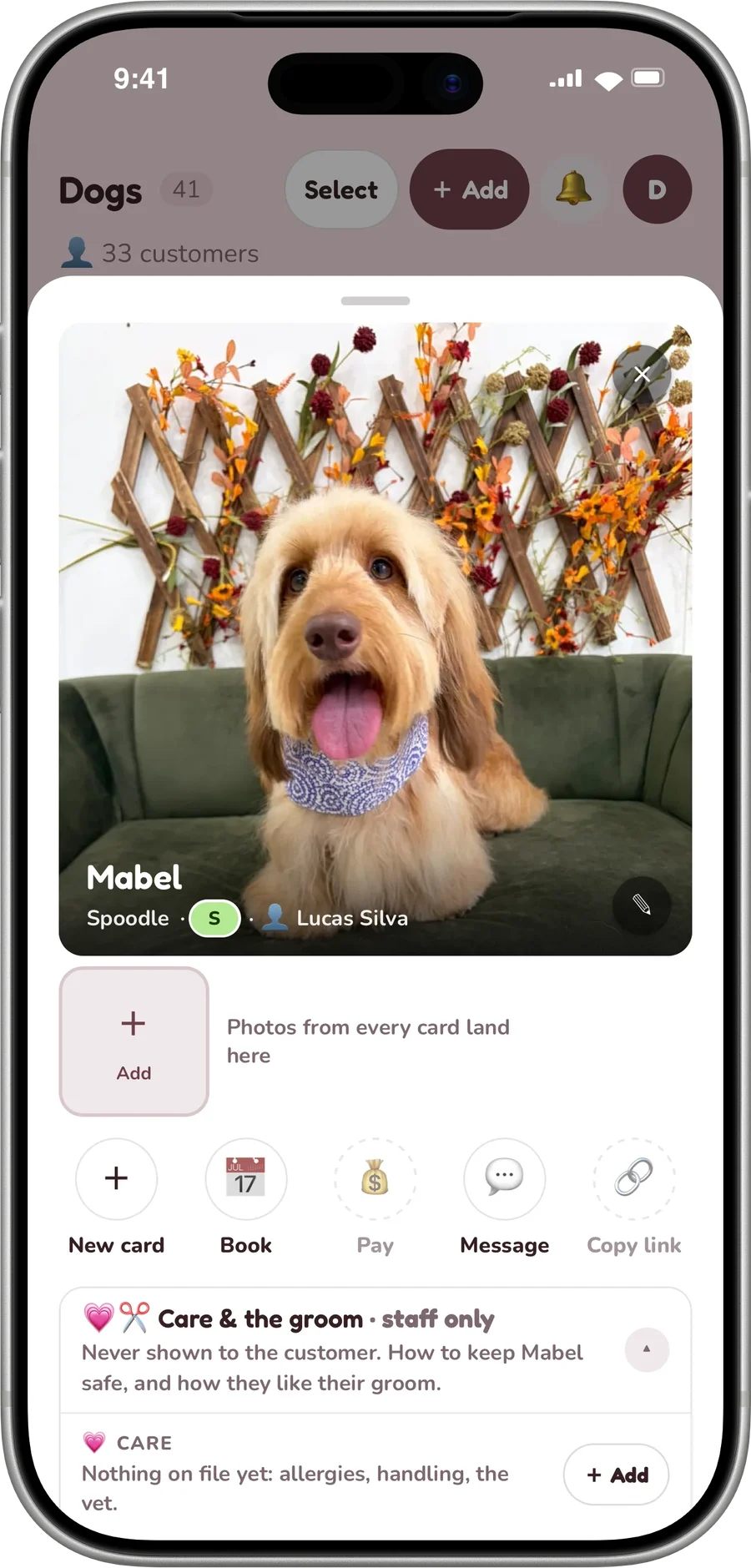
The Book button opens your real booking with the right dog already picked, so a regular rebooks in a couple of taps.
The customer makes it theirs
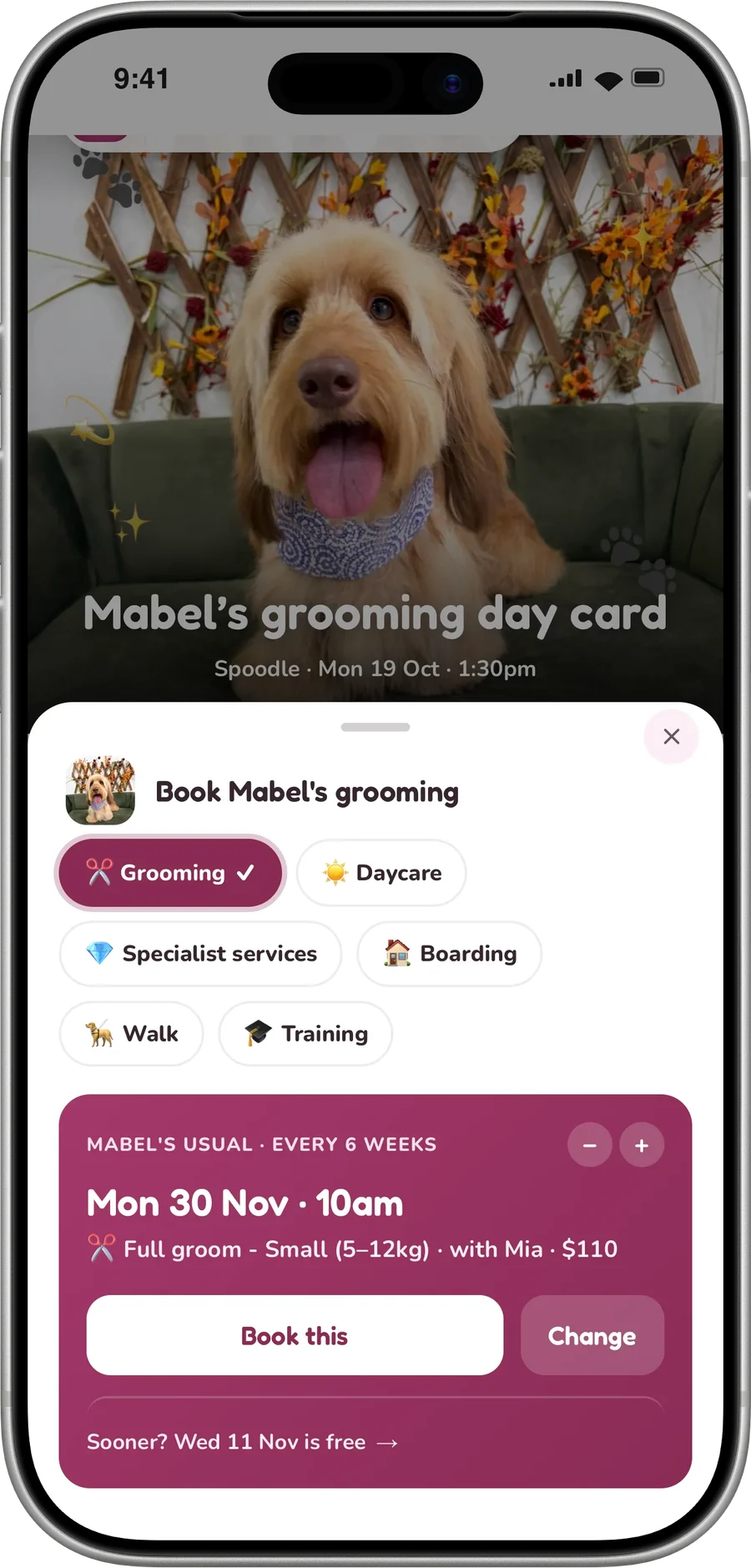
They pick a look for the page, write a line about their dog and set the profile photo. What they add shows on that dog's profile in your app too.
One app for the whole pack
A customer with more than one dog switches between them from the same page, and Book follows whichever dog they picked.
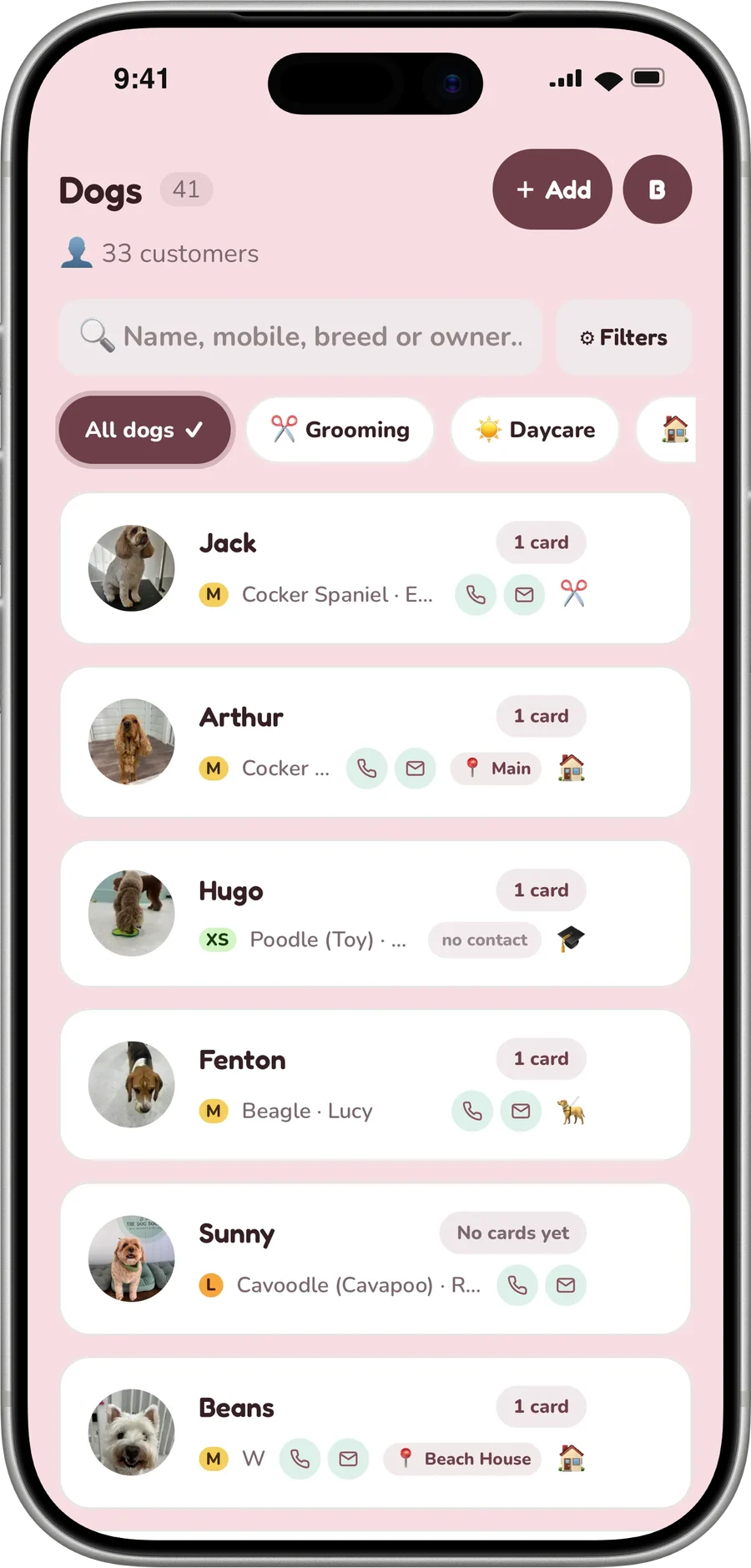
Nothing extra for your team
Every card you send feeds it. There is nothing extra for your team to do, and no second thing to keep up to date.
Your shop, not ours
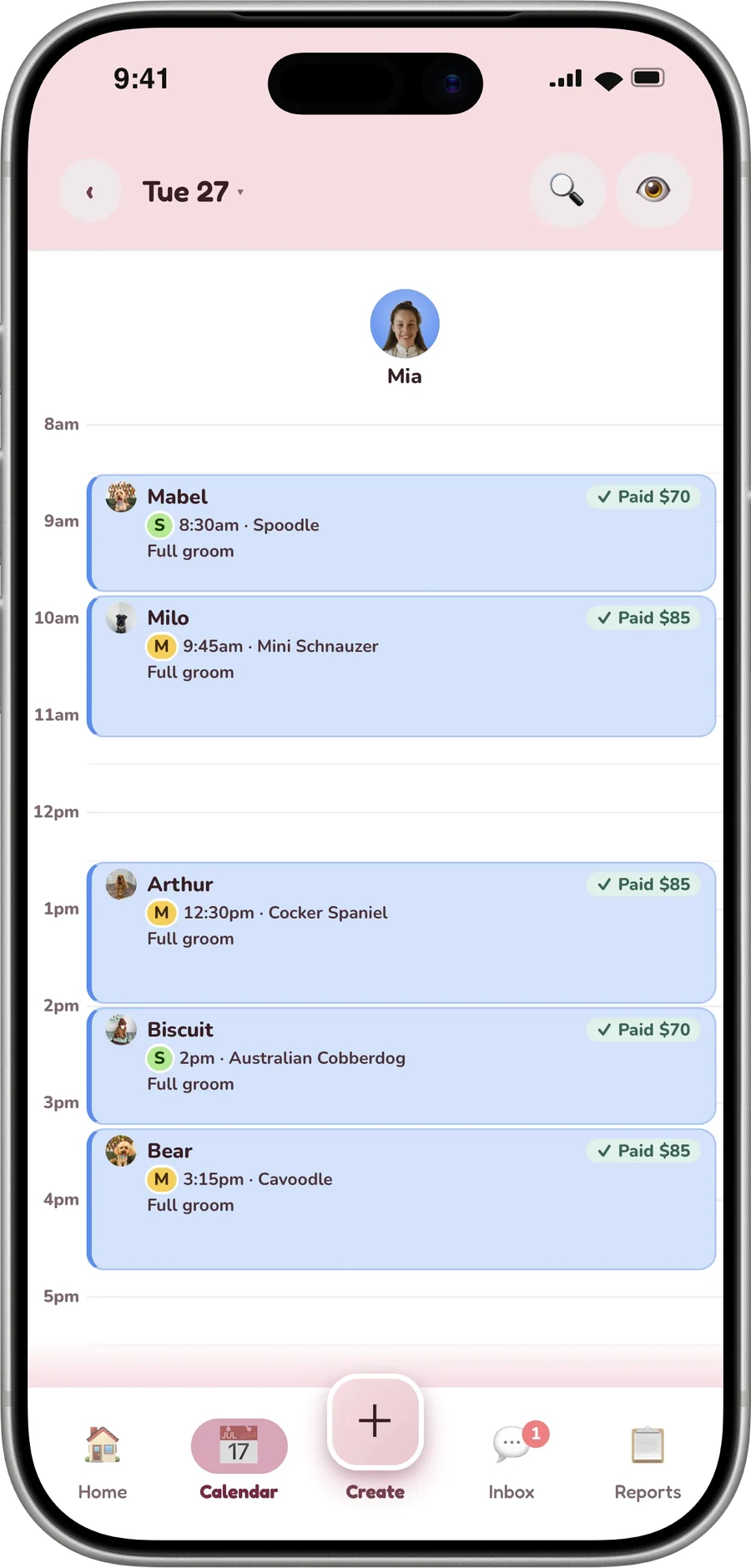
It is your shop, not ours. Your name, your colours, your booking, your contact buttons. Owners never see dogmode.
It opens from a text.
Their dog's cards, photos, bookings and chat. No app store: the link in every card opens it, and it saves to the home screen as your icon.
Book, already set to their dog.
The Book button opens your real booking with the right dog already picked, so a regular rebooks in a couple of taps.
A reshare lands with your Book button.
A reshared card lands here too, so a friend meets your shop on a page that already has a Book button on it.
A door into your shop that stays open.
A report card is a moment. The Dogdoor is where that moment lives afterwards. It sits on the phone between visits, so the next booking starts with your icon instead of a search.
Every card feeds it
Every card you send feeds it. There is nothing extra for your team to do, and no second thing to keep up to date.
Your name and colours
It is your shop, not ours. Your name, your colours, your booking, your contact buttons. Owners never see dogmode.
A friend meets your shop
A reshared card lands here too, so a friend meets your shop on a page that already has a Book button on it.
Bookings carry its mark
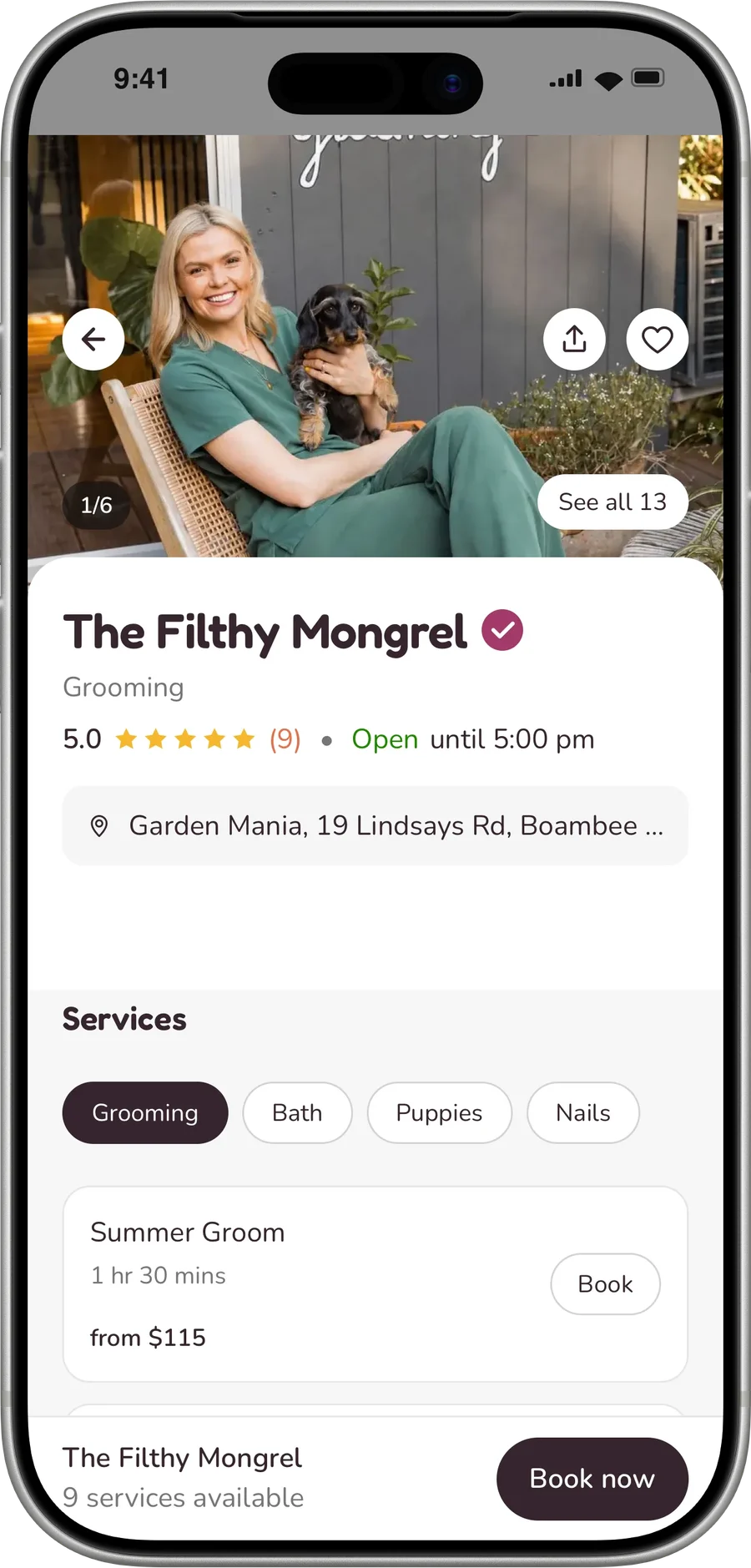
Bookings that start here carry their own mark, so the page has to earn its place like everything else.
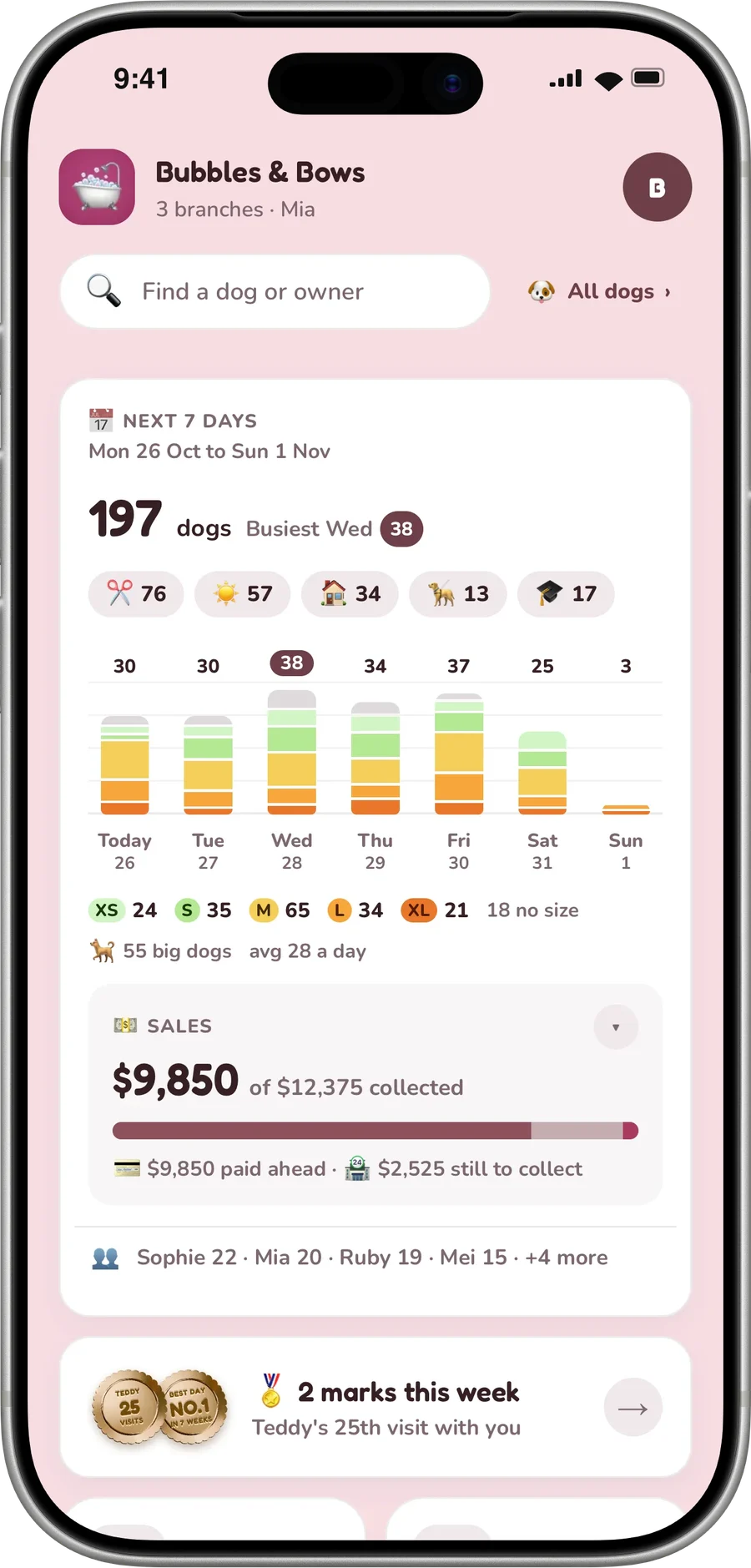
You can see what it earns
Dogdoor visits, the customers who made a page theirs, and the bookings that started on a dog's own page with what they are worth. Add the tiles from Customise on Reports, Analytics or Impact.
One per dog, every branch
One Dogdoor per dog whichever branch they visit; the Book button follows the dog to the right branch and the right staff.
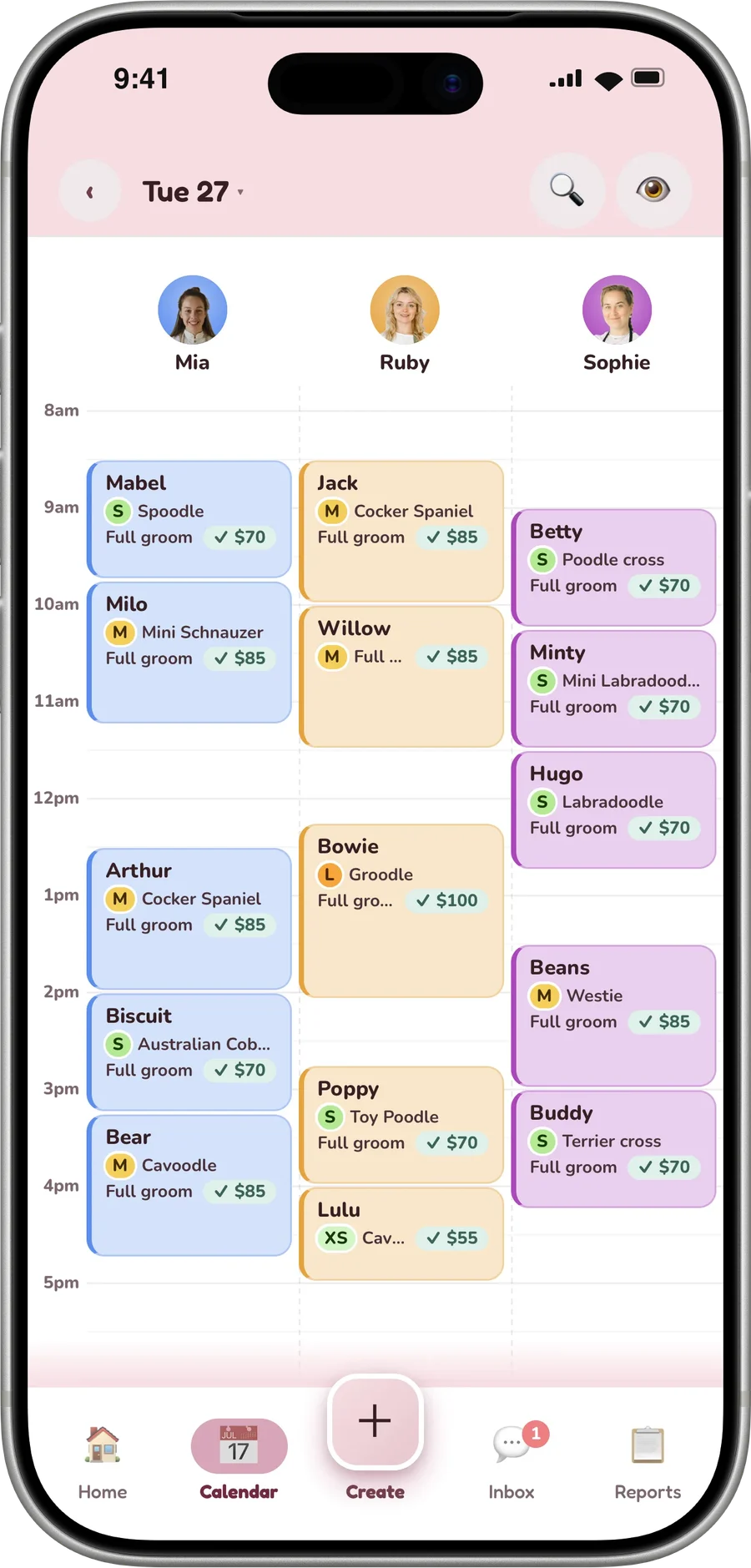
Nothing to install
No app store, no download and no account for the owner: a link, then an icon on their home screen.
On the home screen in two taps.
There is no app store in between. The owner opens any report card you sent them, then:
- On iPhone: tap Share, then Add to Home Screen.
- On Android: open the browser menu, then Add to Home screen.
- It opens as your icon, with the dog's whole story inside and your Book button on it.
You can see what it earns.
Dogdoor visits, the customers who made a page theirs, and the bookings that started on a dog's own page with what they are worth. Add the tiles from Customise on Reports, Analytics or Impact.
The Dogdoor
Your shop on every owner's home screen
Included in every plan
Report cards
The card that feeds it, after every visit
Unlimited, on every plan
Actions speak louder than words.
What a shop manager at our founding pilot noticed.
“It knows what her dog gets and who does it, so when the card says she is due, it is one tap and she is in the book. She is not picking a service off a list she does not understand. My older clients manage it, which was the bit I was worried about.”
“The follow-ups go out whether I remember or not. People who had drifted off just book themselves back in, and I did nothing. That is money I would never have seen and never known I had lost.”
“The cards get shared, and that is the part I did not see coming. People put them on their stories, and their friends message us asking who does their dog. It is the only marketing we do that our customers do for us.”
“I have used software that was clearly built for hair salons with the word dog swapped in. This one knows what a coat type is, and that a dog has two owners who both want the photos. Nothing had to be worked around.”
“They do not glance at it. They sit with it. One of my customers had her dog's card open on and off for the best part of an afternoon showing people.”
“It does not get read and binned. They open it again that night, then again at the weekend to show someone. By then it is not a receipt, it is a photo album of their dog.”
“People pick the bigger service when they can see what it actually is, instead of me describing it over the phone. And they add the teeth clean themselves, which they never did when it meant asking me for it.”
“Asking for a review used to be the most awkward part of the day. Now it is a button on a card they have already opened and smiled at. Nobody has to stand at the counter asking.”
Our founding pilot shop's owner holds an equity stake in dogmode.
A door that stays open.
A report card is a moment. The Dogdoor is where that moment lives afterwards. It sits on the phone between visits, so the next booking starts with your icon instead of a search.
Frequently asked questions
What is the Dogdoor?
Every dog you send report cards to gets a page of their own. Their whole story is on it, and a Book button that already knows which dog. It saves to the home screen as your icon. No app store, no login, nothing to download.
Do my customers have to download an app?
It is a link. It opens in their browser and saves to the home screen as your icon, on any phone. No app store, no password, no account to make.
How does an owner add it to their home screen?
They open any report card you sent and tap Share, then Add to Home Screen on iPhone, or the browser menu, then Add to Home screen on Android. It opens as your icon from then on.
What does the owner see on it?
Every report card you have ever sent that dog lives here, newest first, with all the photos from every one of them. Tap a photo and they swipe through their dog's history like a photo reel. Each one names the visit it came from, with the full report card one tap away.
Can they book from it?
The Book button opens your real booking with the right dog already picked, so a regular rebooks in a couple of taps.
What if a customer has more than one dog?
A customer with more than one dog switches between them from the same page, and Book follows whichever dog they picked.
Can the customer make it their own?
They pick a look for the page, write a line about their dog and set the profile photo. What they add shows on that dog's profile in your app too.
Is it your brand or mine?
It is your shop, not ours. Your name, your colours, your booking, your contact buttons. Owners never see dogmode.
What does my team have to do to keep it up?
Every card you send feeds it. There is nothing extra for your team to do, and no second thing to keep up to date.
What happens when a card is reshared?
A reshared card lands here too, so a friend meets your shop on a page that already has a Book button on it.
Can I see what the Dogdoor earns?
Bookings that start here carry their own mark, so the page has to earn its place like everything else. Dogdoor visits, the customers who made a page theirs, and the bookings that started on a dog's own page with what they are worth. Add the tiles from Customise on Reports, Analytics or Impact.
Does it work on iPhone and Android?
Yes. It is a page that saves to the home screen as your icon on any phone, iPhone or Android, and opens in the browser with no app store between.
Is the Dogdoor included in the plan?
Yes, on every plan: every dog you send a report card to gets one, with nothing to switch on.
Does every kind of visit get a Dogdoor?
Yes. Grooming, daycare, boarding, walking and training: every dog you send a report card to gets one, with every card from every kind of visit inside.
Discover more features
Run your shop
The back office that keeps a busy day, or a multi-branch group, running smoothly.
Payments & one-tap checkout
Let owners pay and rebook in one tap with Apple Pay or Google Pay, so bookings arrive paid up front. Prefer your own checkout? Point the card at it instead and nothing changes.
The Marketplace
Dog owners near you find your shop, see your prices and real reviews, and book in a tap.
Rebooking engine
The post-visit glow, turned into the next appointment: the core of why dogmode pays for itself.
Beautiful report cards
A branded, photo-led card built for whatever you do, in about two minutes from any phone.
Engagement that builds the bond
Owners don't just read the card. They react, message back, and feel cared for between visits.
Light CRM
Your dogs, owners and history kept together, so you always know your regulars.
Reviews & referrals
Happy owners become your marketing: more Google reviews, and new owners discovering you.
Analytics & insights
See exactly what every card drives (opens, loves, rebookings, reviews) on one customisable dashboard.
Your brand, throughout
Every card looks like your business, not ours.
Delivery your way
Send however suits you, and owners never need an app or an account.
Built for every kind of dog business.






Ready when you are.
Set up in about a minute. Free for 7 days, no card.
dogmode on every phone.
Run your shop from your pocket, and give every customer their dog's own app.
The Dogdoor, for dog owners
Their dog's cards, photos, bookings and chat. No app store: it opens from a text.
dogmode, for your shop
Sign up, then add it to your home screen from the app: it runs like an app on iPhone and Android.